

Mapping the Unknown: A Beginner’s Guide to Dungeon Design Software
Creating a dungeon is one of the most rewarding parts of being a Dungeon Master. You can take a simple idea—a forgotten temple, a monster-infested mine or an ancient underground fortress—and turn it into a location your players can explore.
But if you’ve never created a map before, staring at a blank canvas can be daunting.
Where should the rooms go? How wide should the corridors be? Where should combat happen? And which D&D dungeon design software should you actually use?
The good news is that creating a usable dungeon map doesn’t require professional artistic skills. Modern D&D map makers and dungeon design tools allow beginners to build rooms, corridors, encounters and detailed battle maps without having to draw everything by hand.
This guide explains how to approach D&D dungeon map design, what to look for in dungeon software and how to create your first playable dungeon map.
What Is D&D Dungeon Design Software?
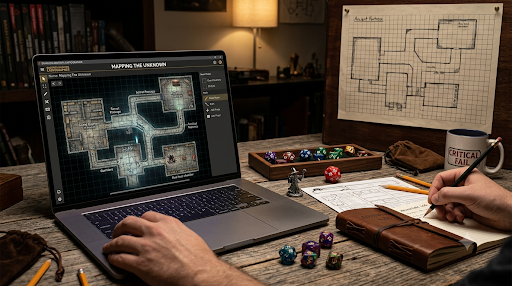
D&D dungeon design software is a digital tool that helps Dungeon Masters create maps for their adventures.
Instead of drawing everything on graph paper, you can use software to create rooms, corridors, doors, walls, stairs and environmental features on a digital canvas.
Depending on the tool, you may also be able to add:
– Furniture and decorations
– Traps and hazards
– Secret passages
– Doors and windows
– Terrain
– Objects and props
– Tactical combat areas
– Grid systems
– Labels and notes
Some programs are designed specifically for Dungeons & Dragons, while others are general RPG map-making software that works with different tabletop roleplaying games.
For a beginner DM, the best software isn’t necessarily the one with the most features.
It’s the one that lets you turn your idea into a playable map without getting in the way.
What Should a Good D&D Map Maker Do?
Before choosing a D&D map maker, think about what you actually need it to accomplish.
A useful dungeon design tool should make it easy to create a basic layout and then develop it into something your players can use.
Look for software that allows you to:
Create Rooms and Corridors
Rooms and corridors form the foundation of most traditional dungeons.
You should be able to create different shapes and connect them without having to manually draw every wall.
Use a Grid
If you’re creating maps for D&D combat, a grid makes movement and positioning much easier to understand.
The traditional D&D combat system uses 5-foot squares, making grid alignment particularly useful for D&D battle maps.
Add Doors and Obstacles
Doors, walls, pillars and other obstacles can turn a basic room into an interesting encounter space.
Add Visual Details
Decorations aren’t essential, but they can make a dungeon feel like a real location rather than a collection of empty boxes.
Export Your Map
If you’re playing online, check whether your software allows you to export your finished map for use with your virtual tabletop.
However, If you’re playing in person, you may want to print the map instead.
How Do You Make a Dungeon Map for D&D?
The easiest way to create your first D&D dungeon map is to avoid thinking about decoration initially.
Think about the adventure first.
Start with a simple question:
What are the players supposed to discover here?
Perhaps they’re searching for a missing adventurer.
Maybe they’re hunting a powerful monster.
Perhaps they’ve discovered an ancient temple hiding beneath a city.
Your answer gives the dungeon a purpose.
Once you know that, you can start building the layout around the experience you want your players to have.
Step 1: Decide What Your Dungeon Is For
Every room should have a reason to exist.
That doesn’t mean every room needs to contain a monster or treasure. A quiet room can provide atmosphere, clues or an opportunity for players to investigate.
For example, an abandoned fortress might contain:
– A ruined entrance
– Guard quarters
– An armoury
– A prison
– A storage room
– A collapsed passage
– A secret laboratory
– A final boss chamber
The important thing is that the dungeon feels connected.
If the players enter an old fortress and discover a laboratory hidden beneath it, the map should help communicate that story.
Step 2: Sketch the Basic Layout
Before worrying about visual details, create the skeleton of your dungeon.
Think about:
Entrance → Exploration → Challenge → Discovery → Major Encounter
You don’t have to follow this structure exactly, but it gives a beginner DM a useful starting point.
Try to avoid creating a dungeon where every room simply connects to the next.
Instead, consider giving players choices.
A corridor might split into two directions.
One route could be quicker but heavily guarded.
The other could be longer but contain a secret passage.
Now your dungeon map design is creating gameplay rather than simply showing geography.
Step 3: Create Interesting Rooms
Once you’ve established the basic route, give important rooms a purpose.
A good dungeon might contain different types of spaces:
Combat rooms give your players somewhere to fight.
Puzzle rooms challenge them to think.
Exploration areas reward curiosity.
Treasure rooms provide a reason to investigate.
Story rooms reveal information about the world or its inhabitants.
Rest areas give the party an opportunity to recover.
This variety helps prevent the dungeon from becoming a sequence of identical encounters.
Step 4: Design Your D&D Battle Maps Around Movement
If your dungeon is going to be used for combat, think about movement before adding decoration.
A visually impressive room isn’t necessarily a good D&D battle map.
Ask yourself:
– Can the characters move around easily?
– Are there interesting positions to fight from?
– Are there obstacles?
– Is there cover?
– Are there chokepoints?
– Can enemies approach from different directions?
– Can the environment become part of the encounter?
For example, a large rectangular room might initially seem boring.
Add several pillars, a raised platform and a broken staircase, however, and the tactical possibilities immediately increase.
Players can move between the pillars, enemies can use the platform for a height advantage and the staircase becomes another part of the encounter.
The map is now influencing the battle.
Step 5: Add Doors, Secret Passages and Chokepoints
Good dungeon maps don’t need complicated architecture.
Sometimes a single locked door can create more excitement than another five rooms.
Doors can make players ask questions:
What’s behind it?
Who locked it?
Can we find a key?
Should we break it down?
A secret passage can be even more effective.
Instead of placing secret areas randomly, connect them to the dungeon’s story.
Perhaps a hidden passage leads from the prison to the villain’s laboratory.
Suddenly, discovering it gives the players a genuine advantage.
Chokepoints can also be useful.
A narrow corridor can force players to think carefully about positioning and make certain encounters more dangerous.
Step 6: Add Details After the Layout Works
One of the biggest mistakes beginners make when using dungeon map-making software is decorating too early.
Don’t spend twenty minutes choosing furniture for a room that you later realise needs to be twice as large.
Build the playable space first.
Then add details.
Consider using:
– Torches
– Statues
– Bookshelves
– Tables
– Barrels
– Crates
– Weapons
– Bones
– Ruins
– Religious symbols
– Magical objects
These details can also provide storytelling opportunities.
A blood-covered altar tells players something happened here.
A broken bookshelf might suggest that someone was searching for something.
A room containing dozens of identical beds could reveal that the dungeon was once used as a barracks.
Good environmental design makes players curious.
D&D Dungeon Map Maker vs Dungeon Map Generator
It’s useful to understand the difference between a dungeon map maker and a dungeon map generator.
A map maker gives you direct control.
You decide where the rooms go, how the corridors connect and what objects appear on the map.
A generator, on the other hand, can automatically create a dungeon layout for you.
Generators can be particularly useful when you need a map quickly or want inspiration for a new adventure.
Manual map-making is usually better when you have a specific location in mind.
There is also no reason you can’t combine both approaches.
Generate a basic dungeon layout, then modify it until it fits your adventure.
The important thing is that the final map works for your players.
How to Choose the Right Dungeon Design Software
There isn’t one perfect D&D dungeon design software for every DM.
Instead, think about how you actually play.
If You’re a Complete Beginner, choose something with a simple interface.
You should be able to open the software and understand the basic tools without spending hours learning complicated features.
If You Create Lots of Battle Maps
Look for a tool with strong grid, terrain and object features.
Speed becomes particularly important when you’re regularly preparing new encounters.
If You Play D&D Online
Check compatibility with your virtual tabletop.
Some map tools are designed to export images, while others offer integrations or features specifically intended for online play.
If You Play In Person
Printing may be more important.
Look for software that produces clear, high-resolution maps that remain readable when printed.
If You Don’t Consider Yourself Artistic
Don’t worry, as modern map-making tools are designed to handle much of the difficult work for you.
You don’t need to be able to draw a perfect castle. You need to be able to communicate where the players are and what they can interact with.
Designing Dungeons for Virtual Tabletops
Online D&D has made digital maps particularly useful.
A virtual tabletop can display your dungeon while allowing players to move their characters across it.
When preparing a map for online play, consider what information the players should actually see.
Your DM version might contain:
– Hidden rooms
– Secret doors
– Monster locations
– Traps
– Encounter notes
– Important clues
The player version doesn’t necessarily need to reveal any of these.
This makes digital dungeon maps especially useful for exploration.
You can reveal the environment gradually as the party moves through it.
The map becomes part of the mystery.
Keep Your First Dungeon Small
Your first dungeon doesn’t need to contain twenty rooms.
In fact, keeping it small can help you learn much faster.
Try creating a dungeon with around five to eight meaningful areas.
Give each area a purpose.
For example:
Room 1: Entrance and introduction
Room 2: First challenge
Room 3: Exploration and clue
Room 4: Optional route
Room 5: Major encounter
Room 6: Final chamber
This gives you enough space for exploration without creating a huge map that takes hours to prepare.
Once you’re comfortable with the process, you can start creating and building larger dungeons.
Don’t Confuse Detail With Good Dungeon Design
A common misconception is that the best dungeon maps are the most detailed.
That’s not necessarily true.
Your players aren’t going to judge the map like a piece of artwork.
They’re going to use it.
They need to know:
– Where they can move
– Where walls are located
– Where enemies are
– What they can interact with
– Where important areas are
A simple, readable map can be much more effective than an incredibly detailed map where everything blends together.
Prioritise playability first and decoration second.
Make the Map Serve the Adventure
The most important principle of dungeon design is simple:
The map should serve the adventure, not the other way around.
Don’t create a huge dungeon simply because your software makes it possible.
Start with the story.
What do the players need to accomplish?
What choices should they make?
What dangers should they face?
What secrets could they discover?
Then build the map around those ideas.
This approach makes D&D dungeon design much easier because you’re no longer trying to fill an empty canvas.
You’re building a location with a purpose.
Final Thoughts: Building Your First D&D Dungeon Map
Learning how to use D&D dungeon design software doesn’t have to be complicated.
Start with a simple idea.
Create the entrance.
Build a handful of meaningful rooms.
Connect them with interesting routes.
Think about movement and combat.
Add secrets and environmental details.
Then polish the map once the basic design works.
The best D&D map maker is ultimately the one that helps you turn your ideas into something your players can explore.
You don’t need to create a gigantic underground kingdom for your first attempt.
Create one memorable dungeon.
Give your players a reason to explore it.
And make sure there’s something waiting for them around the next corner.
Because a great dungeon map isn’t just a collection of rooms and corridors.
Every great campaign starts with a single step into the unknown. Whether you are a Dungeon Master looking to master the art of narrative pacing and secret reveals or a player ready to roll your first d20, your next story begins right here.
Dive into our DM guide on Narrative Pacing and Plot Twists to elevate your storytelling, or gather your party and Book a Table at Veni Vidi Vici Games. Located in the heart of Romsey, our dedicated community gaming space is built for everything from high-stakes one-shots to epic, multi-year tabletop RPG campaigns.
Claim your seat, roll for initiative, and start your adventure today!